Client Email · Email tool · My own tool · 2026
Client Email: an email tool anyone can send from
In short
My email tool gives clients one simple place to write and send their newsletters, through a sending account they own. I built it in September 2026 for Brendan D. Murphy, author, client, and my husband, who always needed my help to send to the right people. I took out every setting I could, so anyone can send quickly, tech-savvy or not.
What I found
Brendan could write an email to his readers, but sending was the hard part. There were too many settings and too many things that could go wrong, so every email ended with him asking me to check it would reach the right people.
Leaving Kajabi made it harder still. His list needed to live in an account he owned, and that account is built for developers, not for an author writing to his readers. More features weren't the answer. Fewer were.
What I built
A deliberately simple place to write and send, on top of the client's own sending account. I removed as many settings as I could, basing the design on a personal email tool, so there's one clear way to do each thing, and before anything goes out, it shows exactly who it's going to and how many people that is.
Write and send
Templates, merge fields, a draft kept until you send, a test send to yourself, and a review screen that shows the email the way it lands in the inbox.
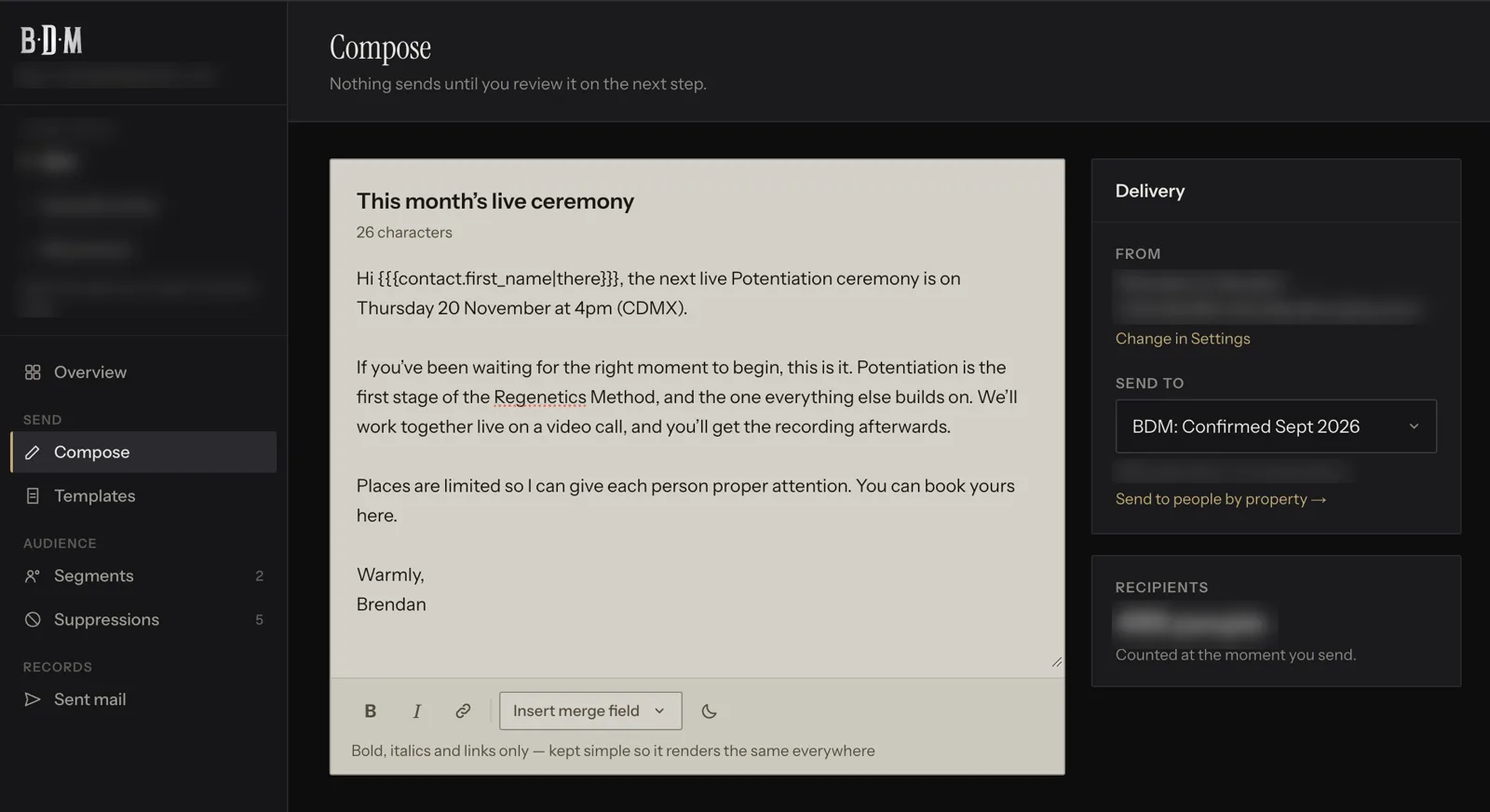
Writing an email in Brendan's branding. Private details blurred. The right people
Segments built from contact properties, and a choice of segment on every send.
Are you sure?
Every send asks you to confirm, naming the segment and how many people are in it, so there’s minimal chance of sending an email to the wrong people.
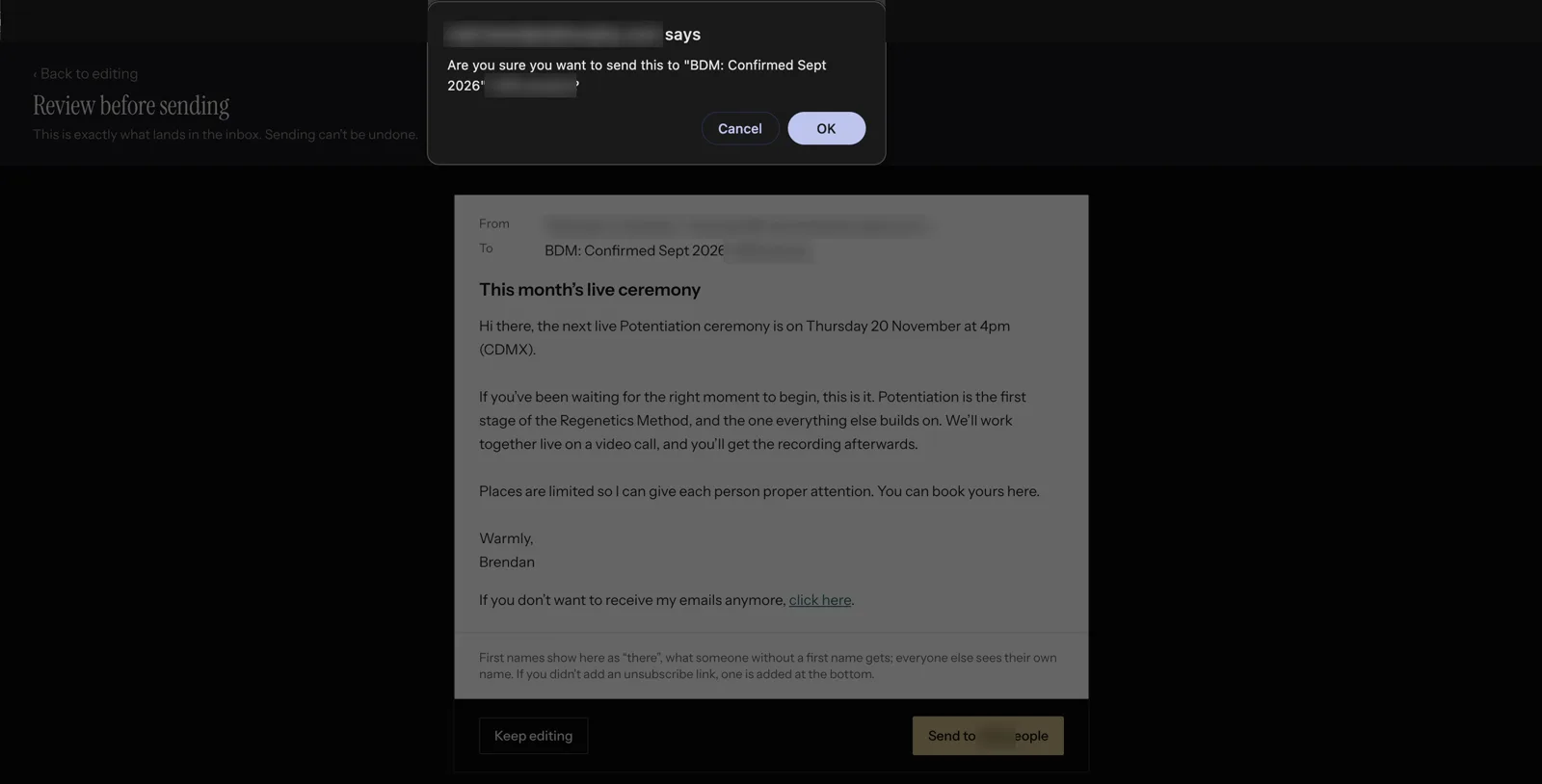
The last step before anything sends: the email as it lands, and a check that names who it's going to. Their look
Each client has their own subdomain, brand and sender name, so the tool and the inbox both say who it's from.
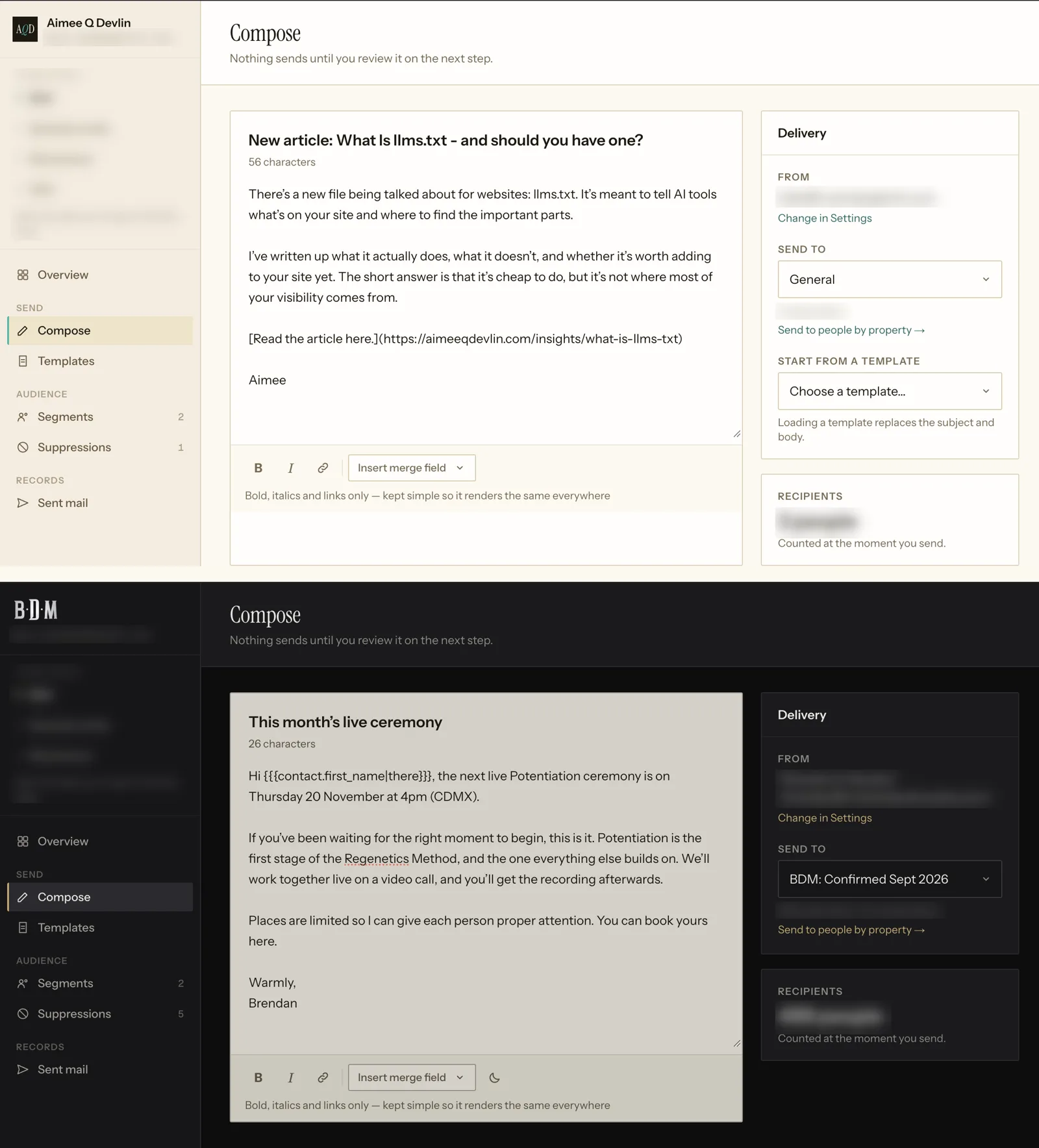
The same screen in two brands: mine, then Brendan's. What happened
Delivery and click stats for every send, with which links were clicked.
Teams
Several people can sign in to one client, each with a role, and each sees only what their role lets them use.
What it's like now
Brendan sends his own newsletters without my approval, quickly, from one simple screen, and his list stays in his own account. Nobody has to open a developer's dashboard, or be good with tech, to send a newsletter.
What they own
The sending account and the list belong to the client. My email tool is included while we work together, because it makes sending simpler. If we stop, nothing is lost: the list is already in their own account, and they can keep sending from it.
Next step
The PRISM Diagnostic is where engagements begin: 60 minutes on what's wrong underneath, what it's costing you, and what to fix first.
← All work